Section Label
Industry-Leading Features for Professional Number Plate Production
Solace Plates delivers one of the most comprehensive feature sets available to the UK number plate industry, combining professional design tools, intelligent validation and compliance-led production controls in one refined software platform. We continually review industry requirements, user workflows and existing software solutions to ensure Solace Plates provides a more reliable, efficient and professional approach to number plate design, validation and production. Our objective is to support businesses with software that improves presentation, strengthens operational control and helps deliver consistent, compliance led number plate production.
01
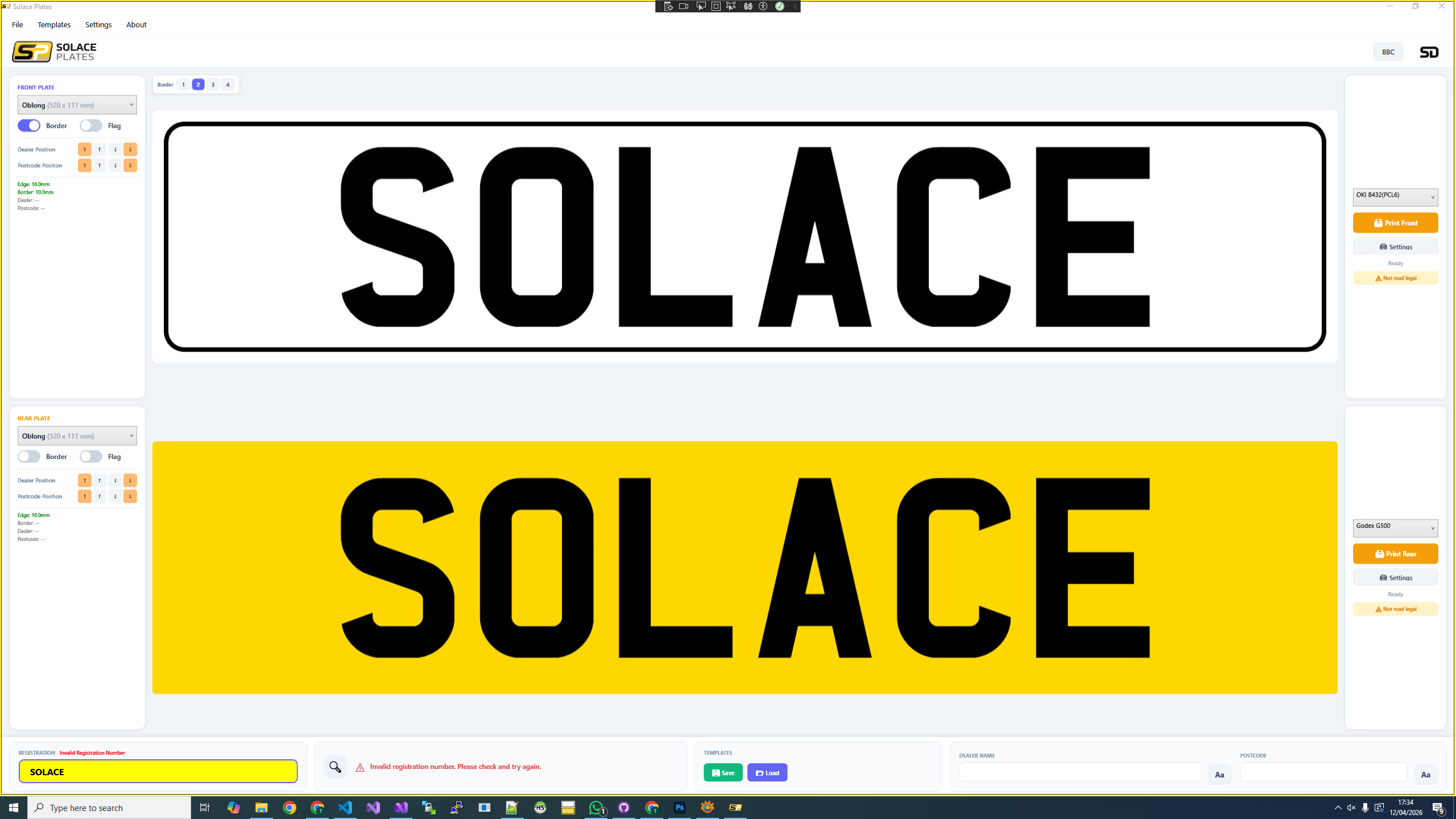
User Friendly Interface
Solace Plates has been designed to make number plate production quick, simple, structured and efficient. The clear interface allows users to create, validate and prepare number plates with confidence, reducing training time while helping businesses maintain accuracy and consistency across every print.

02
Distributor Branding & Custom Action Buttons
Solace Plates allows authorised distributors to personalise the software interface with their own company logo, helping present a branded and professional experience to their users. The software also includes two customisable action buttons, which can be renamed and linked to distributor selected web pages. These buttons can be used to direct users to support resources, online ordering portals, customer hubs, contact forms or any other important business links, keeping key services easily accessible from within the software.
03
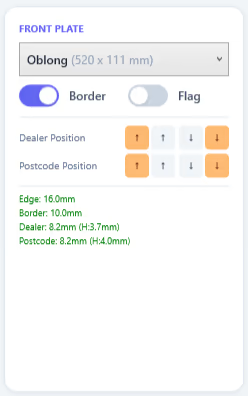
Compact Plate Configuration Tools
Solace Plates keeps essential plate setup controls clear, compact and easy to navigate. Users can quickly select the required number plate size from a simple drop-down menu, choose border and flag options, and adjust key layout settings from one structured area of the software. Dealer name and postcode positioning can also be fine-tuned with straightforward adjustment controls, helping users achieve a professional, balanced finish while maintaining accuracy and compliance across different plate sizes and layouts.
4
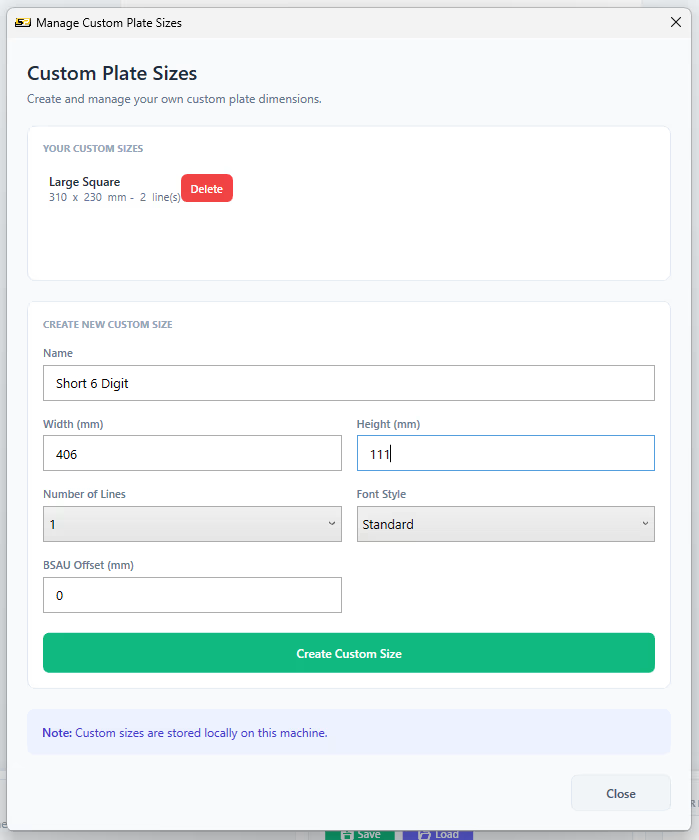
Custom Plate Sizes
Solace Plates gives users the flexibility to create and save custom number plate sizes for specialist applications and non-standard number plate size requirements. Custom plates can be configured at any size, with one or two rows of registration digits using standard car or motorcycle fonts. Once a custom size is selected, the full range of Solace Plates features remains available, including border controls, flag options and layout adjustments. The BSAU marker can also be offset to support fast and accurate printing of hex, Lambo style and other shaped plate designs. Custom plate sizes can be named, saved and reused, helping outlets maintain consistency while speeding up production for repeat specialist plate formats.
5
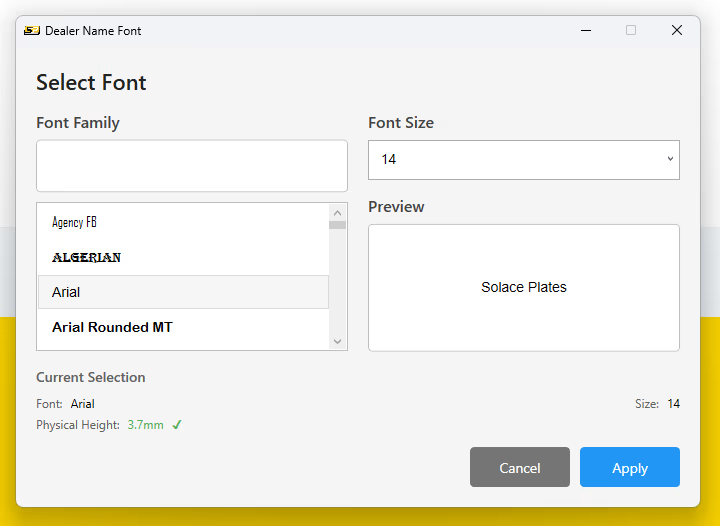
Outlet Name & Postcode Font Control
Solace Plates includes a dedicated font selection window for configuring the dealer name and postcode displayed on the number plate. Users can select the required font and text size, giving users control over how supplier details are presented across different plate layouts. As adjustments are made, the software provides real-time feedback on the dimensions of the text, helping users understand whether the selected dealer name and postcode settings fall within compliant sizing requirements. This supports faster setup, improved accuracy and a more controlled approach to compliance-led number plate production.
6
Flexible Printer Selection
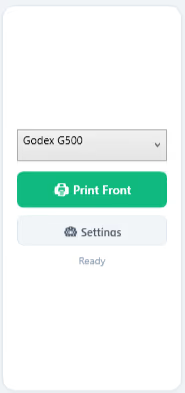
Solace Plates provides straightforward printer selection settings that allow users to choose from the printers installed on the host computer. This gives users full control over how front and rear number plates are routed to printers during production. Where required, different printers can be assigned for front and rear plates, supporting more advanced production environments such as multi-printer workstations, dual roll-fed systems and setups where different media or plate types are handled separately. This helps improve workflow efficiency, reduce manual printer changes and support faster, more accurate number plate production.
7
Printer Tracking Adjustment
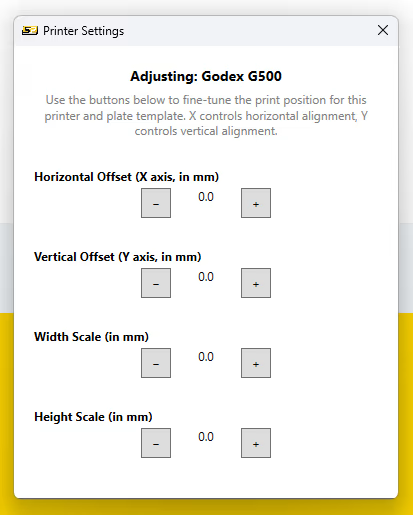
Solace Plates includes printer tracking adjustment settings to support accurate print positioning across a wider range of production hardware. This is particularly useful for certain printer types, including thermal printers, where manual image tracking adjustment may be required to achieve precise alignment. By allowing users to fine-tune the print position, the software helps improve accuracy, reduce setup issues and maintain consistent output across different printer models and production environments.

8
Vehicle Confirmation
The software includes vehicle confirmation functionality to help users verify registration details quickly and efficiently. When a registration number is entered, the software retrieves key DVLA vehicle information, including the vehicle make and colour, giving users an additional level of confidence before producing a plate. The system also displays vehicle tax and MOT expiry dates, making it especially useful for car sales outlets, dealerships and trade environments where fast access to vehicle status information can support daily operations and customer service.
9
Text Sign Design & Printing
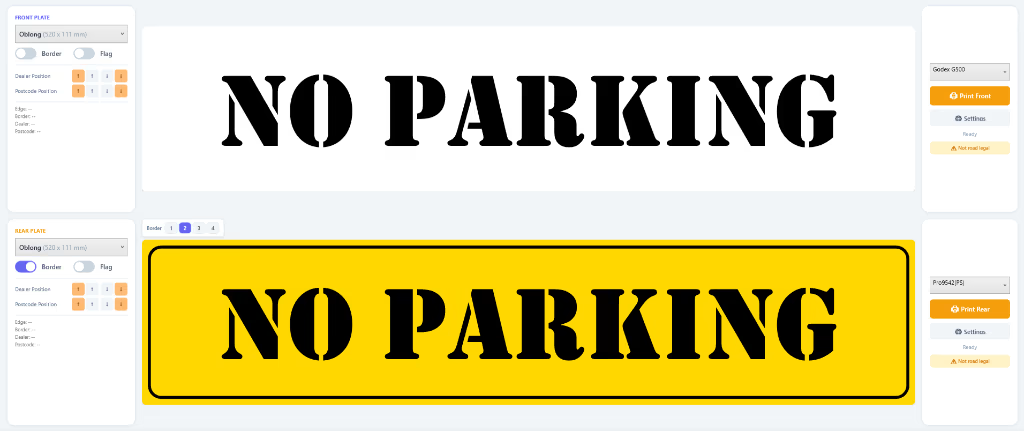
Solace Plates includes a practical sign-making capability, allowing users to design and print text-only signs directly from within the software. This provides added flexibility beyond number plate production and can be particularly useful in busy automotive environments. From simple notices and workshop labels to customer-facing information signs, the feature gives outlets a quick and convenient way to produce clear, professional text signage without needing separate design software or materials.
10
Saved Plate Templates
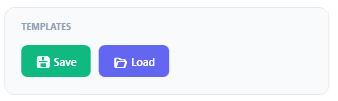
The software allows users to save and reopen number plate templates, helping outlets maintain consistency and speed up repeat production. Templates can include plate sizes, layouts, outlet names, postcodes and other key configuration settings. Saved templates are available across the user's licensed devices, allowing teams to access the same approved layouts wherever the software is installed. This supports a more efficient workflow, reduces repeated setup and helps ensure consistent number plate presentation across the business.
11
Custom Preview Background Colour
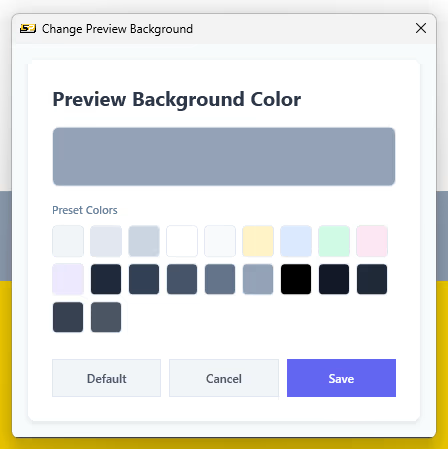
Solace Plates allows users to customise the software preview background colour to suit their working environment. This helps improve on-screen visibility when designing and checking number plates, particularly in different lighting conditions. By adjusting the preview background, users can create a clearer contrast between the plate design and the software workspace, supporting easier layout review, improved accuracy and a more comfortable production workflow.